

Stem splitter · runs on your phone
The band plays.You play your part.
Bandless splits any song into vocals, guitar, bass, drums, keys and everything else, right on your phone. Mute your instrument and play along, slower if you need it.
 Free · Android 7+ · iPhone coming
Try it: take a part out
Press play, then tap your instrument. That's what practicing with Bandless sounds like.
Six stems, split by Bandless. Loads 5.6 MB when you press play.
How it works
Three steps to the jam
Add a song
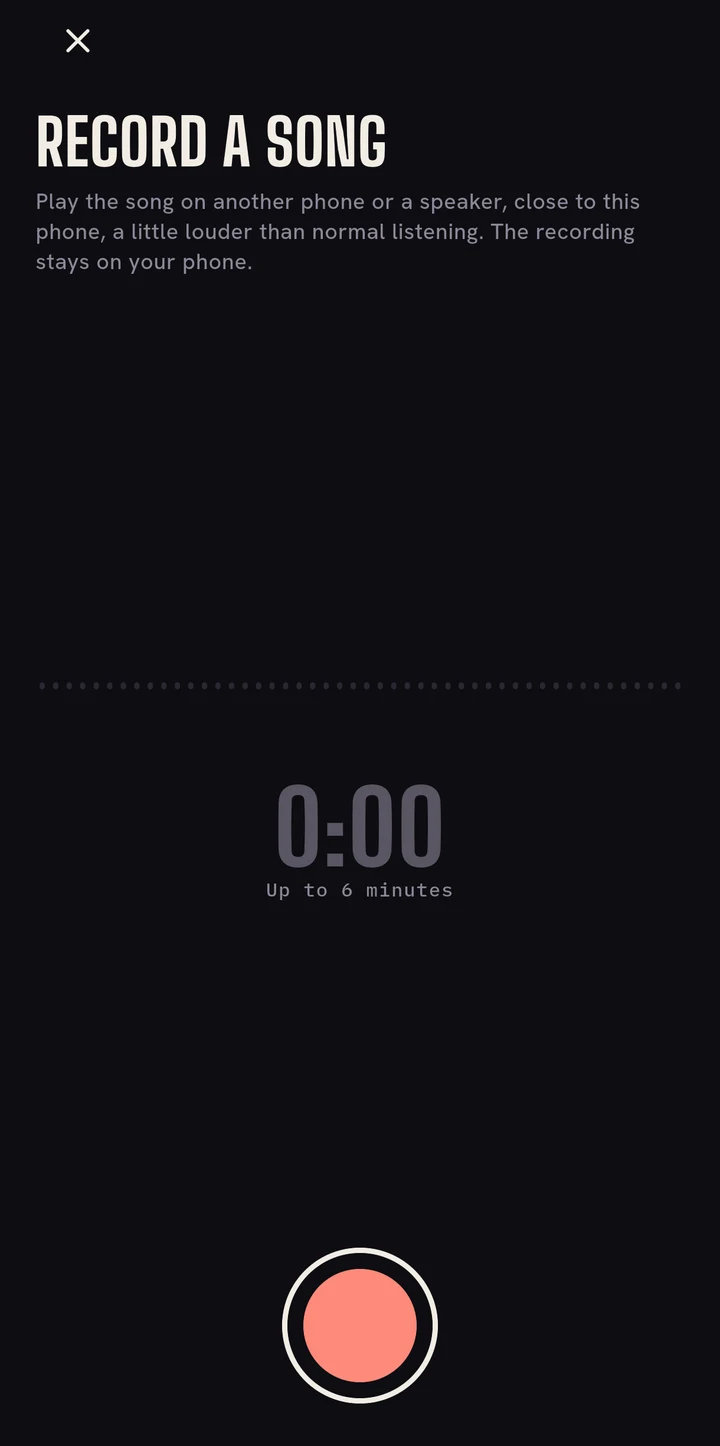
Choose an MP3 or WAV, share one to Bandless from another app, or record a song playing nearby.
Split it on your phone
Bandless separates the six parts in about the time the song lasts. Nothing is uploaded.
Play along
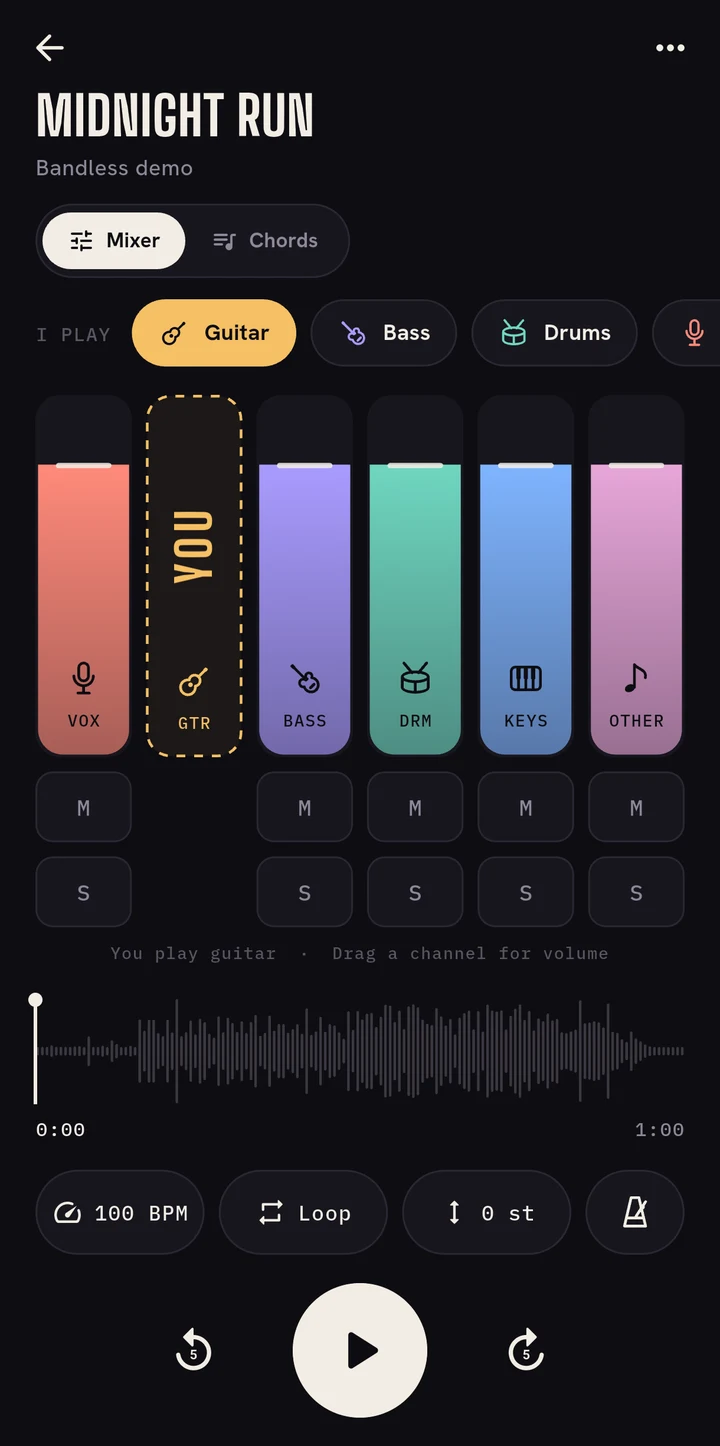
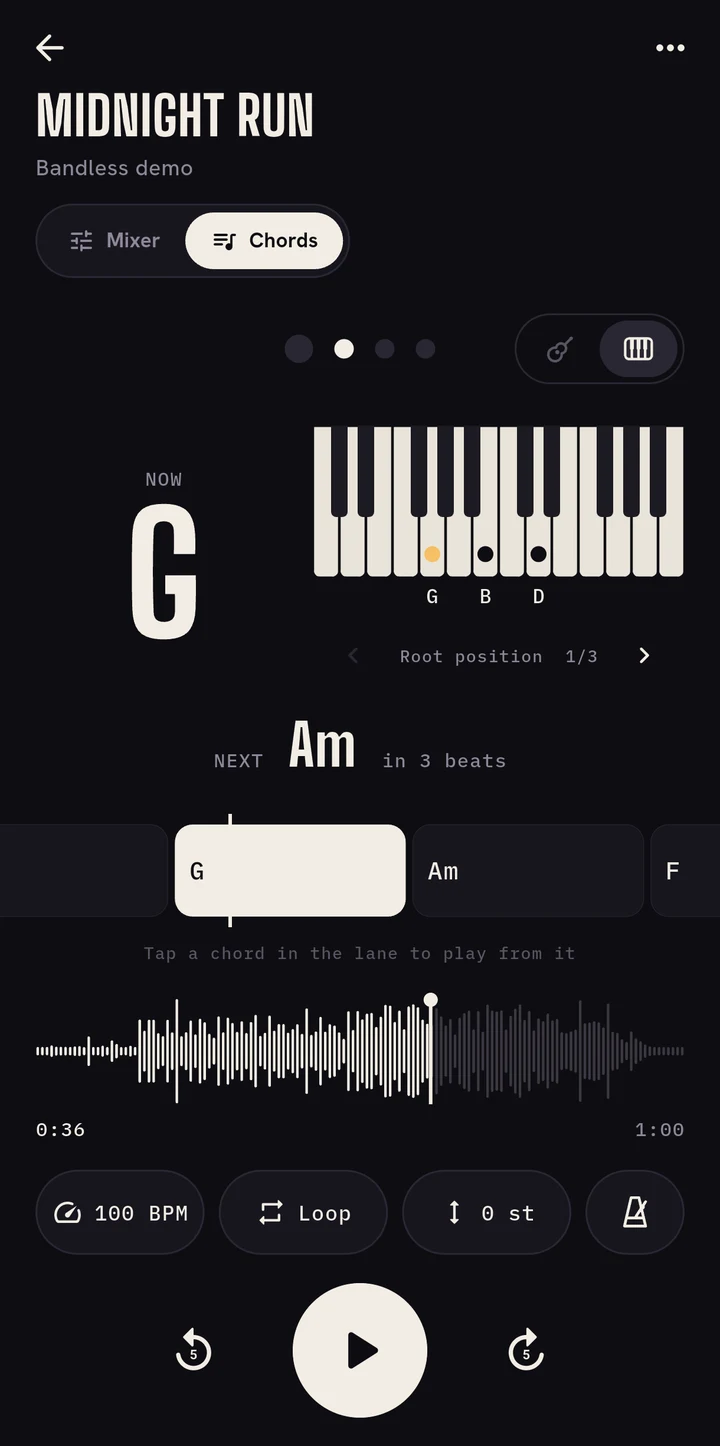
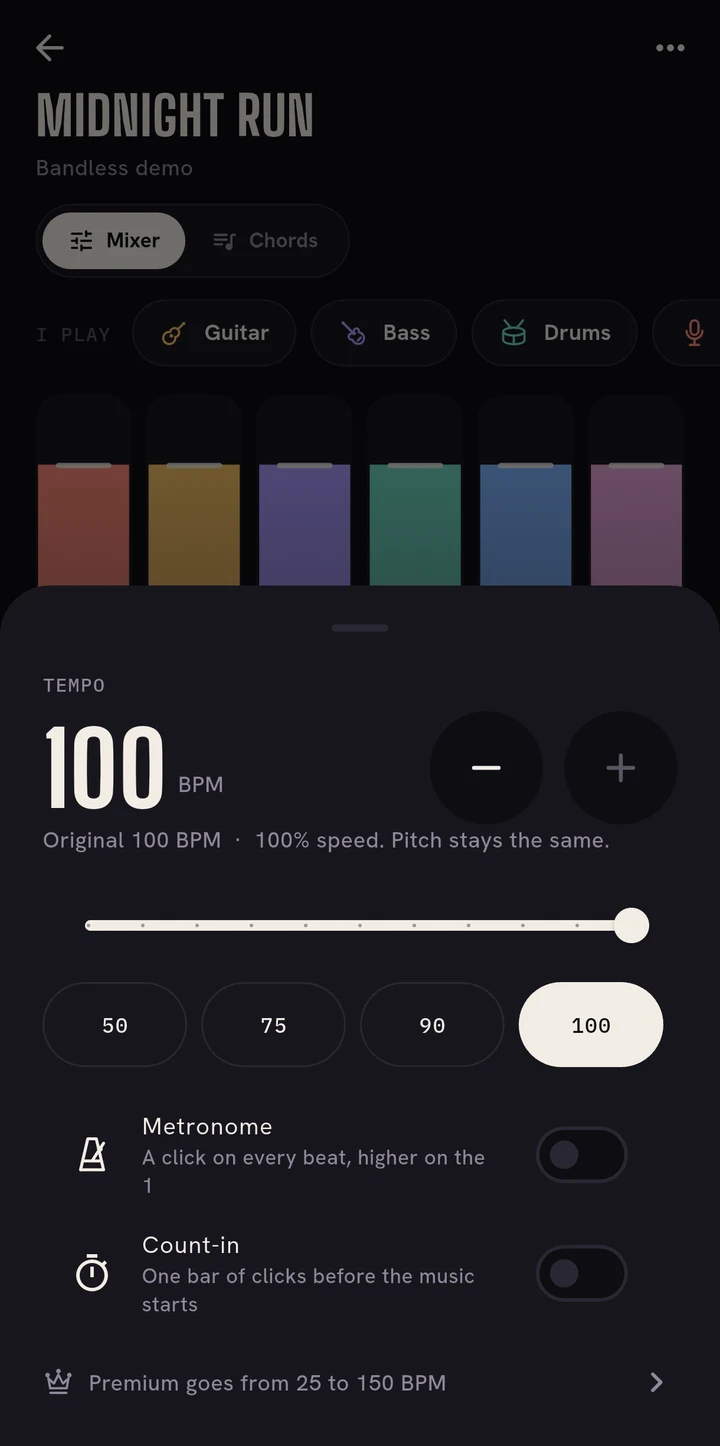
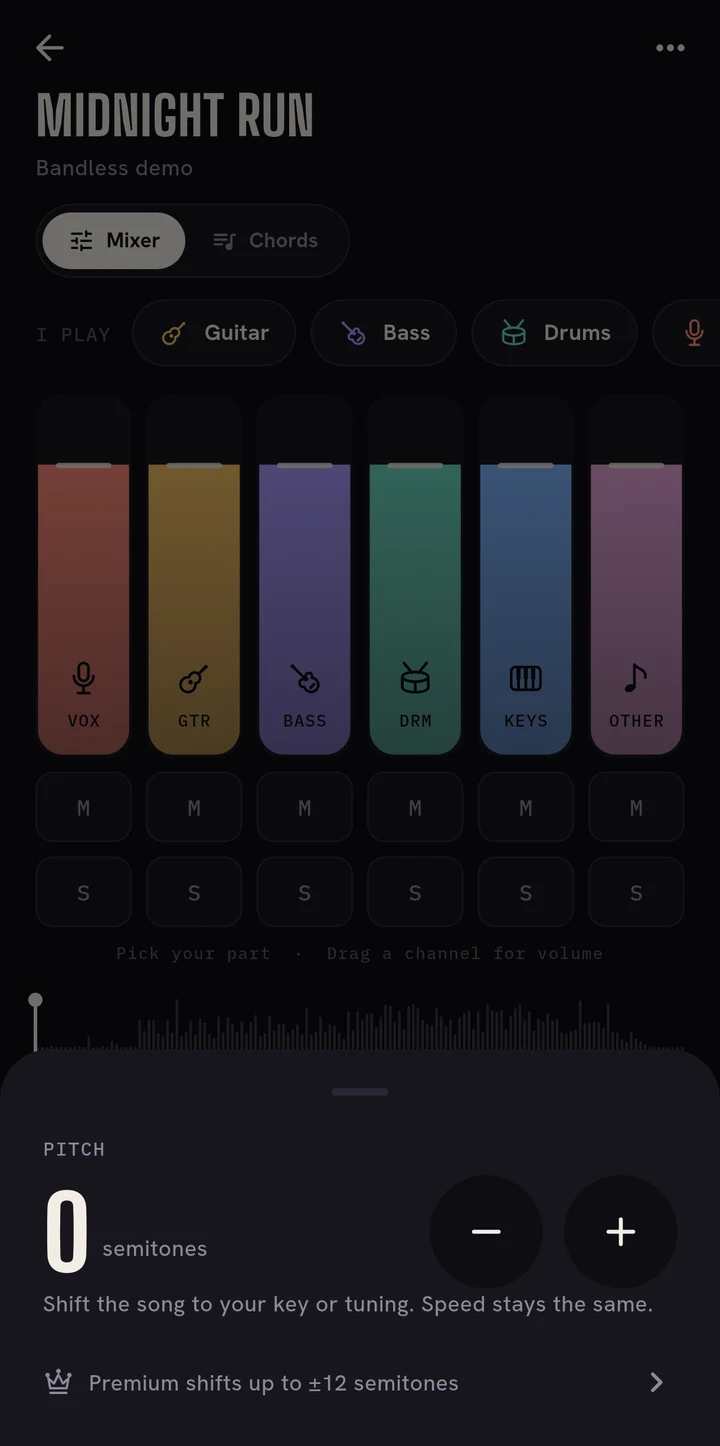
Mute your part, slow it down, loop the hard bars and follow the chords.
Practice tools
Built for the hard part
Everything a song needs before you can play it at full speed.
- Mute or solo any part
- Take your instrument out, or hear it alone to learn it by ear.
- Speed from 0.25× to 1.5×
- Slow a solo down to a crawl without it dropping in pitch.
- Change the key
- Shift up to 12 semitones to match your tuning or your voice.
- Tempo found for you
- Bandless detects the beat, so the metronome and count-in follow the song.
- Chords as they happen
- Read the chord on time, with fingerings for guitar and keys for piano.
- Loops that land on the beat
- Drag a loop and it snaps to the bar, so every pass starts on the one.
Privacy
Your songs never leave your phone.
On the device
The AI that splits songs is built into the app and runs on your phone's processor.
Nothing uploaded
No audio is sent anywhere: not to split it, not to find the tempo or chords.
Works offline
Split songs stay in the app, ready in a rehearsal room with no signal.
Pricing
Start free
Three songs a month are free. Premium takes the limits off.
Free
$0
With ads, never while you play.
- 3 song splits a month
- Songs up to 6 minutes
- Speed 0.5× to 1×, pitch ±2 semitones
- Mixer, metronome, count-in and loops
- Chord names as they happen
Premium
$39.99 a year, 7 days free
or $5.99 a month. Cancel anytime in Google Play.
- Split as many songs as you want
- Songs up to 20 minutes
- Speed 0.25× to 1.5×, pitch ±12 semitones
- Guitar and piano chord diagrams
- No ads
Prices in US dollars. Google Play shows the price in your currency.
Questions
Before you start
Which songs can I split?
Any MP3 or WAV on your phone, or a song you record playing nearby. Use songs you own or have permission to use, for your own practice.
How long does a split take?
About as long as the song itself on a recent phone, longer on older ones. You can keep using your phone while it works.
Which phones does it run on?
Android 7 or newer with a 64-bit processor. Recent phones split fastest. An iPhone version is on the way.
Do I need an internet connection?
No. Splitting and practicing work offline. You only need a connection to download the app and to buy Premium.
Your band is ready.
Free to start · no account needed